LEGACY APPLICATION MODERNIZATION

Modernizing a Legacy .NET Framework Application Preserving behaviour while moving to ASP.NET Core

A hands-on modernization of an established shipping application. The work focused on reproducing the live application's workflows, replacing Telerik and DevExpress controls, rebuilding date pickers and multi-column selectors, replacing XtraReports with HTML-based PDF generation, consolidating shared business logic and validating quotation behaviour with Playwright.

Custom Enterprise Software
Legacy .NET Modernization
API & System Integration
Desktop & Web Applications
15+ Years
Global Clients
Enterprise Solutions
Enterprise software solutions developed using Microsoft .NET
Modernizing a Legacy .NET Framework Application

Rebuilding the Application Without Losing Existing Business Behaviour

The starting point was an established .NET Framework shipping application with a separate Web API codebase. Both applications contained implementations of overlapping business operations. For example, a change to UPS rule retrieval could require corresponding updates in both codebases, followed by separate deployments.

The legacy user interface also relied on Telerik and DevExpress controls, including XtraGrid, date pickers and multi-column combo boxes. The modernization replaced these with reusable Razor, JavaScript and jQuery-based components. DevExpress XtraReports was also removed; invoice PDFs are now generated from language-specific HTML templates through an iText conversion pipeline.

The most important constraint was functional parity. Existing postal-code normalization, decimal handling, shipment calculations, carrier-specific rules and quotation behaviour all had to be preserved. I introduced a separate CoreServices class library shared by the ASP.NET Core web application and Web API, and used Playwright to compare the quotation journey in both applications against the same database.

This case study focuses on the engineering decisions behind that work: removing duplicated logic, creating reusable UI components, replacing report generation, isolating carrier implementations and validating the modern application against the established system.

Functional Parity Reproduce the established live application's workflows and business rules in the modern application.
Reusable Grid Architecture Replace Telerik and DevExpress XtraGrid controls with shared Razor-rendered grids and reusable JavaScript behaviour.
Custom HTML-Based Invoice PDFs Replace DevExpress XtraReports with language-specific HTML templates, iText PDF conversion and ZUGFeRD XML embedding.
Shared CoreServices Library Move overlapping business operations into a separate class library referenced by the web application and Web API.
Extensible Carrier Services Use a common carrier shipment interface with individual UPS, DHL, DPD and Asendia implementations.
Legacy Rule Preservation Retain country-specific postal-code handling, numeric normalization and shipment net-amount calculations.
Playwright Regression Testing Compare every step of the quote-generation page between the legacy and modern applications using the same database.

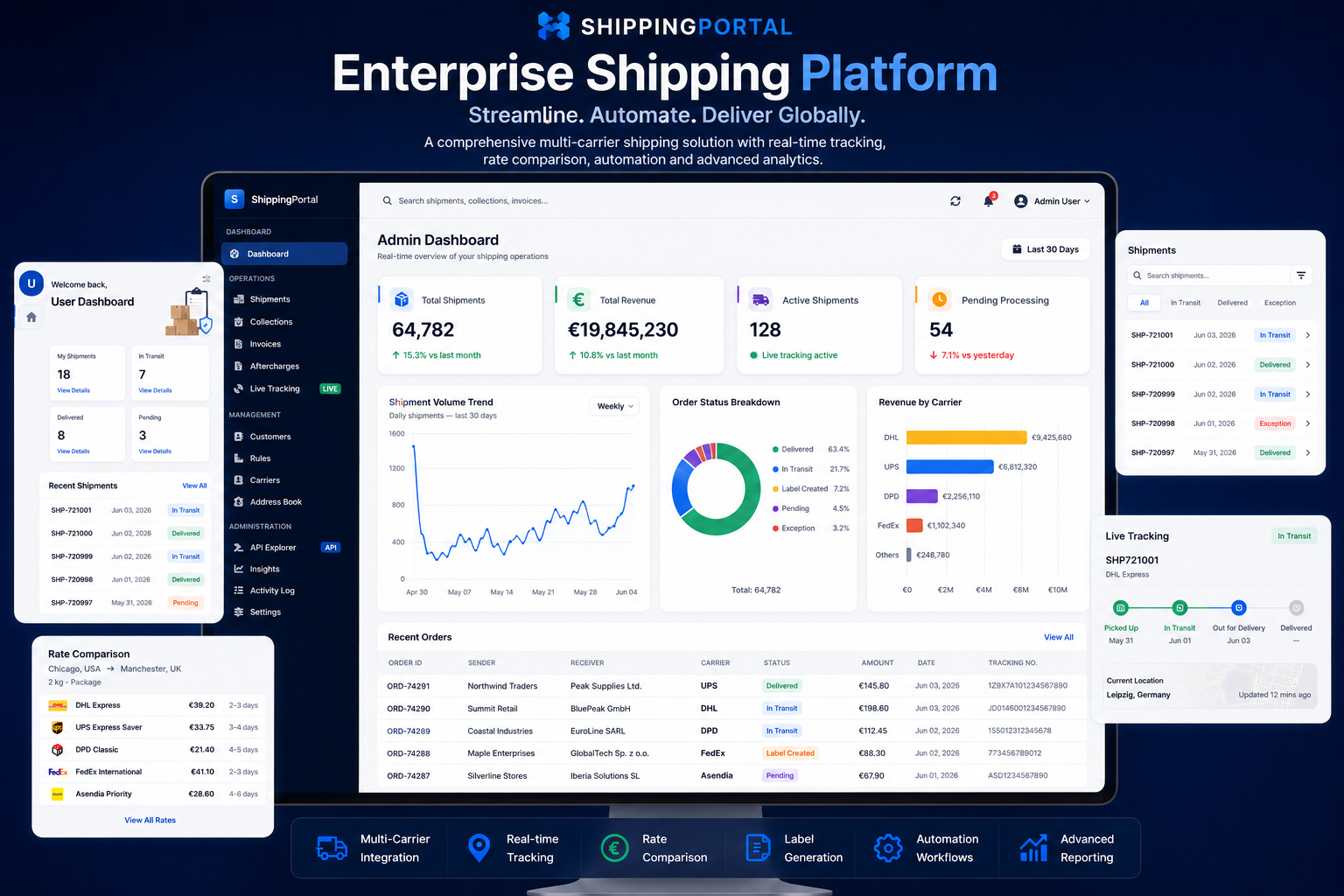
More Than a Framework Upgrade

The goal was not simply to move code from .NET Framework to ASP.NET Core. The modern application had to preserve the behaviour of an established, live shipping system while addressing architectural limitations in the original application.

Preserve the Live Application's Behaviour

Existing users already depended on established workflows and business rules. The replacement needed to reproduce those behaviours as closely as possible, including less visible rules affecting shipment creation, quotations and carrier requests.

Remove Duplicated Business Logic

The legacy web application and Web API maintained separate code for overlapping operations. A change to a rule such as UPS service retrieval could require the same business change in both projects, followed by separate deployments.

Replace Commercial UI Dependencies

The old interface relied on Telerik and DevExpress controls. Those dependencies had to be removed and replaced with reusable Razor, JavaScript and jQuery-based components without losing the familiar grid and listing workflows.

Replacing Telerik and DevExpress Grid Controls with a Reusable Grid System

The legacy pages used commercial grid components from Telerik and DevExpress, including XtraGrid. Instead of introducing another commercial grid library, I developed a shared grid-rendering approach. Pages define their own columns and filters, while common rendering and interaction logic is reused across the application.

01

Page-specific column configuration

Each listing supplies column metadata through a GridHeaderColumnViewModel. The configuration defines header text or localization keys, widths, filter types, element IDs, current values and dropdown options.

02

One shared Razor header renderer

The common _GridHeader.cshtml partial renders both the column-header row and the filter row. It supports text, select, date and date-range filters, as well as columns with no filter.

03

Reusable listing components and JavaScript

Pagination, listing toolbars and loading overlays are shared components. Common JavaScript manages filtering, AJAX row loading, selection, bulk actions, dropdown behaviour and pagination updates.

04

Page-specific row templates

Each business area retains its own row markup and actions. For example, the invoice listing has invoice-specific columns and actions while reusing the common header, filter and pagination infrastructure.

Replacing More Than Grids: Rebuilding the Controls the Application Used

The migration also removed other DevExpress widgets used throughout the legacy application. Rather than replacing one commercial control suite with another, I recreated the required interactions with custom JavaScript and jQuery-based controls that fit the new Razor pages.

DATE INPUTS

Custom Date Pickers

DevExpress date-picker controls were replaced with custom date-selection components and browser-side behaviour. The shared grid renderer also supports single-date and date-range filters, with the selected values passed into the listing's filtering workflow.

DATA SELECTION

Multi-Column Combo Boxes

Multi-column combo-box widgets were rebuilt as custom JavaScript and jQuery controls. This retained the application's need to present structured choices across multiple columns without depending on the original DevExpress component.

REUSABLE FRONTEND

Application-Specific Controls

The replacement controls were built around the actual workflows rather than a generic third-party widget API. Razor supplied the page markup, while JavaScript and jQuery handled the client-side interactions and connected them to the application's existing request flows.

The goal was functional replacement, not visual substitution alone. Each control had to support the way the legacy application used it within shipment, filtering and data-entry workflows.

Replacing DevExpress XtraReports with HTML-Based PDF Generation

Invoice generation was another part of the legacy stack that needed to move away from DevExpress. I replaced the XtraReports-based approach with custom HTML invoice templates and an iText HTML-to-PDF pipeline, keeping document layout in editable HTML and CSS while preparing the invoice data in the application service layer.

01

Prepare the invoice data

The invoice service builds an invoice DTO from the invoice, order, customer and billing information. Invoice line items, totals, VAT values and customer details are prepared before the document is rendered.

02

Select the appropriate HTML template

The generation flow selects the English or German invoice template based on the user's language. It also supports separate new-style and older invoice layouts.

03

Populate the template and render the PDF

Invoice details and dynamically generated line-item rows are inserted into the HTML placeholders. iText's HTML converter then renders the completed HTML document into a PDF.

04

Complete the document output

The generated PDF is post-processed for page numbering and footer placement. The service also generates the structured ZUGFeRD XML and combines it with the PDF as a PDF/A-3 electronic invoice.

One CoreServices Library Shared by the Web App and Web API

The legacy web application and Web API had separate implementations for overlapping business operations. I addressed this by moving shared business functionality into a separate class library referenced by both ASP.NET Core applications.

PREVIOUS STRUCTURE

Duplicated Implementations

.NET Framework Web App Its own business logic
.NET Framework Web API A separate implementation of overlapping logic
A shared rule change could require edits and deployments in both codebases.
MODERNIZED STRUCTURE

Shared Business Services

ASP.NET Core Web App Application and user workflows
ASP.NET Core Web API API endpoints and integrations
CORE CoreServices Separate .NET class library Shared business logic · Services · Repositories · Carrier operations
Both applications reference the same shared implementation.
EXAMPLE

Centralizing a change to UPS rule retrieval

In the legacy structure, a change to UPS rule retrieval could require corresponding updates in the web application and the Web API. With the shared CoreServices library, the business implementation is maintained centrally and consumed by both applications.

01 One shared implementation 02 Consistent business behaviour 03 Less duplicated maintenance

Carrier Implementations Behind a Common Interface

Carrier-specific shipment creation is separated behind a shared ICarrierShipmentService contract. The central shipment service receives all registered implementations through dependency injection and selects the implementation matching the requested carrier.

ICarrierShipmentService.cs
public interface ICarrierShipmentService
{
    Task<CreateShipmentResponse> CreateShipmentAsync(
        CreateShipmentRequest request,
        string webrootPath);

    string CarrierName { get; }
}
REGISTERED IMPLEMENTATIONS

Each carrier owns its shipment logic

U
UPSShipmentServiceCarrierName = "UPS"
D
DHLShipmentServiceCarrierName = "DHL"
D
DPDShipmentServiceCarrierName = "DPD"
A
AsendiaShipmentServiceCarrierName = "Asendia"
01 Register services Multiple implementations registered against the same interface
02 Inject collection IEnumerable<ICarrierShipmentService>
03 Resolve by carrier Match the implementation using CarrierName
04 Execute shipment Delegate to the selected carrier service

Adding another carrier starts with a new implementation of the common interface and a dependency-injection registration. The central shipment creation dispatcher does not need a new carrier-specific branch for that implementation.

Preserve the Small Rules That Keep Shipments Working

Functional parity also depended on retaining data transformations and calculations that were easy to overlook. These rules were consolidated into a dedicated shipment request normalizer in CoreServices.

ADDRESS DATA

Country-specific postal-code handling

CZ, GR, SE, SK Remove whitespace from sender and receiver postal codes
PL, PT Remove hyphens from postal codes
NL Retain digits only

The normalizer also contains a specific sender-postcode whitespace rule for the Czech Republic to Germany route.

NUMERIC INPUTS

Consistent measurement and cost formats

Dimensions and weight Normalize decimal commas to decimal points
Shipment cost text Clean currency text and normalize decimal separators before parsing
Culture-independent values Use invariant culture for normalized numeric strings

This prevents formatting differences from silently changing the values sent through shipment workflows.

FINANCIAL RULES

Consistent net amount calculations

When a tax percentage applies Net = Gross ÷ (1 + Tax % ÷ 100)
Taxable amount Calculate and round the net taxable amount to two decimals
No tax percentage Assign the gross amount to the non-taxable amount

The calculation is applied to shipment and order request types through the shared normalizer.

Normalization Happens Before Carrier Submission

01Receive shipment request
02Normalize postal codes and values
03Populate quote and calculate net amounts
04Apply billing and order checks
05Call carrier shipment service

Comparing the Legacy and Modern Applications with Playwright

To verify that the new application reproduced the existing quotation behaviour, I wrote Playwright tests that executed the quote-generation journey in both applications and compared the steps. Both applications pointed to the same database during this comparison.

REFERENCE APPLICATION .NET Framework Web App Existing production behaviour
MODERNIZED APPLICATION ASP.NET Core Web App Migrated quotation workflow
Playwright · End-to-end comparison
Same SQL Server Database Shared customer, service and pricing configuration data
01

Run equivalent quote scenarios

Execute the quotation journey in the legacy and modern applications using equivalent shipment information.

02

Compare each page step

Validate the quote-generation page throughout the journey, rather than comparing only the final displayed price.

03

Identify behavioural differences

Use the comparison to surface differences that could indicate a missed rule or an unintended change during migration.

The objective was functional parity, not just a successful build. A modernized application needed to produce the established quotation behaviour at each stage of the workflow.

Technologies and Engineering Practices

The modernization combines the ASP.NET Core application stack with shared service architecture, browser-side components and automated end-to-end validation.

ASP.NET Core

Modern web application and Web API entry points.

CoreServices Class Library

Shared business services, carrier logic and reusable components.

SQL Server and Dapper

Relational data storage and lightweight data access.

Razor, JavaScript and jQuery

Reusable listing UI, filters and interactive page behaviour.

Playwright

End-to-end comparison of legacy and modern quote workflows.

iText HTML-to-PDF

Template-driven invoice PDFs with post-processing and ZUGFeRD XML embedding.

Modernize the Technology. Respect the Business Behaviour.

This work is centred on more than replacing an older framework. It combines a shared service foundation, reusable interface components, carrier-specific implementations and regression testing to make the application easier to evolve while protecting the workflows that existing users rely on.

Discuss a .NET Modernization Project
CONTACT INFORMATION

Planning a Legacy .NET Modernization?

Discuss how to modernize an existing .NET Framework application while protecting its business rules, user workflows and integrations.

Email kmehta@horizonsoftwares.net
Phone +91 94784 75547
Website horizonsoftwares.net
Location Serving Clients Worldwide
QUICK ENQUIRY

Discuss Your Modernization Requirements

Success
Message