DPD SOAP
Carrier Integration
Custom DPD API integration using C# and .NET for enterprise shipment creation, parcel processing, shipping labels, tracking and integration with existing ERP and business systems.

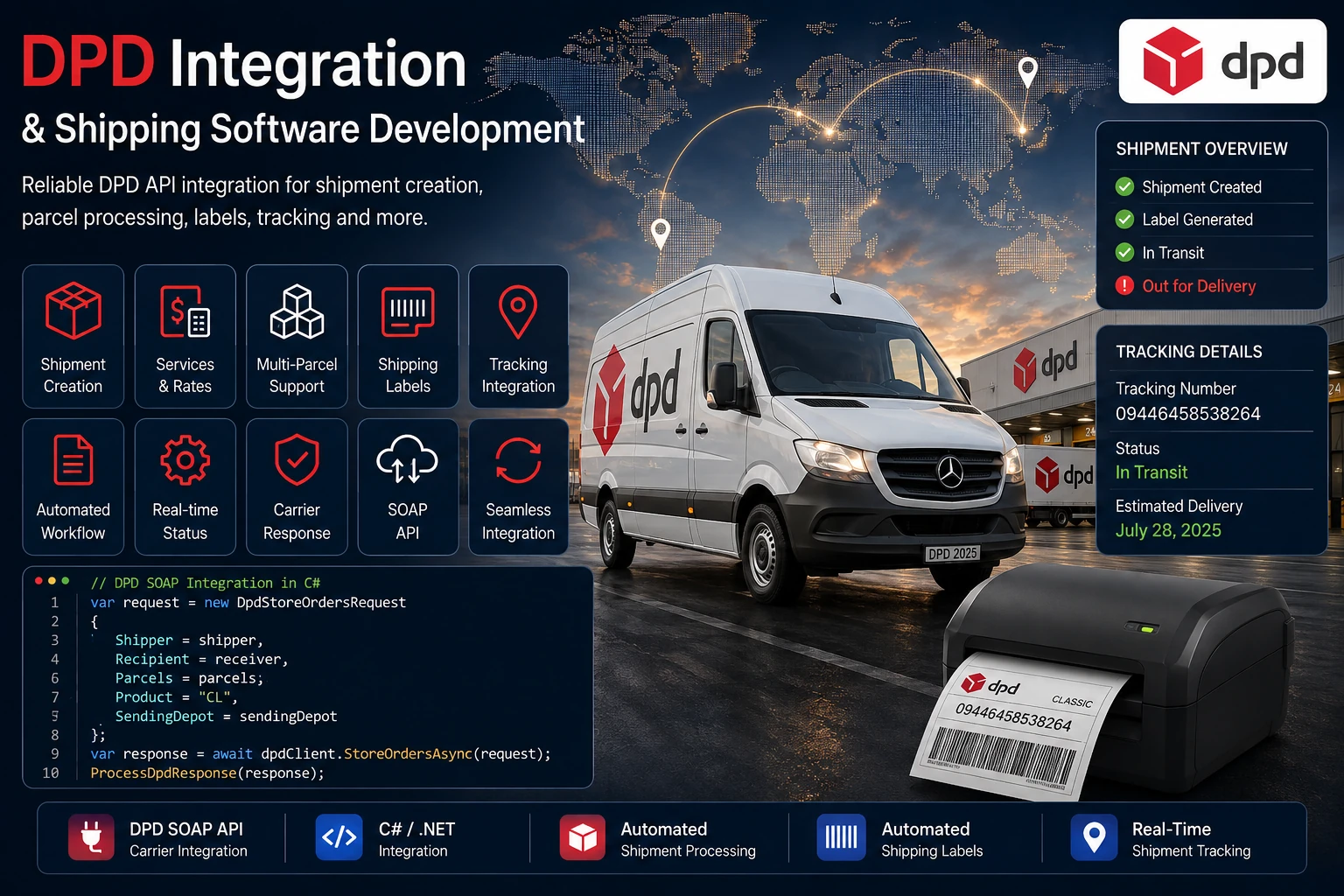
Custom DPD API integration and enterprise shipping software development using C# and .NET for shipment creation, parcel processing, shipping labels, tracking and integration with existing ERP and business systems. The integration communicates with DPD through its SOAP-based ShipmentService and handles authentication, sending-depot selection, shipment and parcel construction, API transaction logging, response processing, label handling and tracking information. The DPD API integration supports DPD ERP integration by connecting with existing ERP, order management and logistics applications while keeping carrier-specific SOAP communication within the DPD integration layer.
<?xml version="1.0" encoding="UTF-8"?>
<soapenv:Envelope
    xmlns:soapenv="http://schemas.xmlsoap.org/soap/envelope/"
    xmlns:auth="http://dpd.com/common/service/types/Authentication/2.0"
    xmlns:ship="http://dpd.com/common/service/types/ShipmentService/4.4">

    <soapenv:Header>
        <auth:authentication>
            <delisId>DEMO-DELiS-ID</delisId>
            <authToken>[AUTHENTICATION TOKEN]</authToken>
            <messageLanguage>en_EN</messageLanguage>
        </auth:authentication>
    </soapenv:Header>

    <soapenv:Body>
        <ship:storeOrders>

            <printOptions>
                <printOption>
                    <outputFormat>PDF</outputFormat>
                    <paperFormat>A6</paperFormat>
                </printOption>
                <splitByParcel>true</splitByParcel>
            </printOptions>

            <order>

                <generalShipmentData>
                    <sendingDepot>0000</sendingDepot>
                    <product>CL</product>
                    <mpsWeight>966</mpsWeight>

                    <sender>
                        <name1>Example Sender</name1>
                        <street>Example Street</street>
                        <country>DE</country>
                        <zipCode>12345</zipCode>
                        <city>Example City</city>
                    </sender>

                    <recipient>
                        <name1>Example Receiver</name1>
                        <street>Example Avenue</street>
                        <country>DE</country>
                        <zipCode>54321</zipCode>
                        <city>Example City</city>
                    </recipient>

                    <returnAddress>
                        <name1>Example Sender</name1>
                        <street>Example Street</street>
                        <country>DE</country>
                        <zipCode>12345</zipCode>
                        <city>Example City</city>
                    </returnAddress>

                </generalShipmentData>

                <parcels>
                    <weight>966</weight>
                </parcels>

                <productAndServiceData>
                    <orderType>consignment</orderType>
                </productAndServiceData>

            </order>

        </ship:storeOrders>
    </soapenv:Body>

</soapenv:Envelope>{
"storeOrdersResponse": {
"orderResult": {
"shipmentResponses": [
{
"mpsId": "MPS-DEMO-000000000000",
"parcelInformation": {
"parcelLabelNumber": "DEMO0000000000",
"output": {
"format": "PDF",
"content": "[LABEL PDF DATA REMOVED]"
}
}
}
]
}
}
}Horizon Softwares develops custom DPD API integrations using C# and .NET for enterprise shipping software and DPD shipping software workflows that need automated shipment creation, parcel processing, labels, tracking and carrier response handling. The integration uses the DPD SOAP ShipmentService and can be connected with existing ERP, order management and logistics applications.
The DPD API integration is implemented as a carrier-specific SOAP workflow within a C# / .NET enterprise shipping application. Shipment information is prepared from the application's common shipment model before being converted into the DPD-specific ShipmentService request used by the enterprise shipping software.
The integration obtains a DPD authentication token, calculates shipment weight and parcel count, determines the sending depot and constructs the DPD SOAP API request before submitting it to DPD.
The returned response is parsed to identify shipment and tracking information and to process the PDF shipping labels returned by DPD.
Implementation flow:
Prepare shipment → authenticate → calculate weight and parcels → determine sending depot → build SOAP request → submit to DPD → process response → process labels and tracking.
Custom DPD API integration using C# and .NET with SOAP-based shipment processing, authentication, parcel calculation, sending-depot selection, label processing, tracking and carrier response handling for enterprise shipping workflows.
Before creating a shipment, the integration obtains an authentication token through the DPD authentication client. The token is then included in the SOAP authentication header when the shipment request is constructed.
The shipment workflow also calculates the total shipment weight and parcel count from the package information supplied by the common shipment model used by the enterprise shipping software.
Preparation flow:
Common shipment data → obtain authentication token → calculate total weight → calculate parcel count.
Custom DPD API integration using C# and .NET with SOAP-based shipment processing, authentication, parcel calculation, sending-depot selection, label processing, tracking and carrier response handling for enterprise shipping workflows.
The DPD shipping integration determines the sending depot using the shipper's country and postal code before the carrier-specific shipment structure is built.
The resolved depot is then included in the DPD general shipment data together with the configured DPD product and calculated shipment weight.
Depot workflow:
Shipper country and postal code → resolve DPD sending depot → include depot in shipment data.
Custom DPD API integration using C# and .NET with SOAP-based shipment processing, authentication, parcel calculation, sending-depot selection, label processing, tracking and carrier response handling for enterprise shipping workflows.
The DPD shipping integration constructs the shipment using the common shipment information supplied by the business or ERP application. Sender and recipient addresses are mapped into the DPD shipment structure together with references, product information and the calculated shipment weight.
The parcel collection is generated from the calculated parcel count, with the shipment weight distributed across the parcels before the request is serialized into the DPD SOAP structure.
Shipment construction:
Common shipment → sender and recipient mapping → shipment references → parcel construction → DPD shipment object.
Custom DPD API integration using C# and .NET with SOAP-based shipment processing, authentication, parcel calculation, sending-depot selection, label processing, tracking and carrier response handling for enterprise shipping workflows.

The DPD API integration builds the carrier-specific SOAP envelope containing the authentication header and ShipmentService request body.
The request specifies PDF label output, A6 paper format and parcel splitting before the shipment is submitted using the DPD storeOrders operation.
The HTTP transaction is recorded before the DPD API request is sent. After the response is received, the API transaction is updated with the response, HTTP status, processing result and execution duration.
SOAP communication:
Build SOAP envelope → record API transaction → POST to DPD → parse response → update API transaction.
Custom DPD API integration using C# and .NET with SOAP-based shipment processing, authentication, parcel calculation, sending-depot selection, label processing, tracking and carrier response handling for enterprise shipping workflows.
After the DPD API response is received, the response parser processes the shipment result and extracts tracking numbers and returned documents.
Returned label documents can be combined through the carrier document service and saved through the API document repository for association with the shipment.
The integration also removes the label content from the stored raw response so that the API transaction retains the response structure without unnecessarily storing the complete label payload.
Response processing:
DPD response → parse shipment result → extract tracking numbers → process labels → save documents → return shipment result.
Custom DPD API integration using C# and .NET with SOAP-based shipment processing, authentication, parcel calculation, sending-depot selection, label processing, tracking and carrier response handling for enterprise shipping workflows.
The DPD API integration checks the parsed DPD response for business-level failures in addition to the HTTP response status. DPD routing errors, SOAP faults and other carrier-level failures are detected and returned as an unsuccessful shipment result.
Successful responses continue through the label and tracking parser, while failed responses preserve the carrier error information for the calling ERP or business application.
Error workflow:
Receive response → parse carrier result → check business errors → return failure or process labels and tracking.
Custom DPD API integration using C# and .NET with SOAP-based shipment processing, authentication, parcel calculation, sending-depot selection, label processing, tracking and carrier response handling for enterprise shipping workflows.

Banking, Logistics, Retail, Insurance and Manufacturing.
ASP.NET Core, .NET 8, WPF, SQL Server and REST APIs.
Looking to integrate DPD shipping capabilities into an existing ERP, order management system or enterprise shipping workflow?