UPS API
Carrier Integration
Custom UPS API integration using C# and .NET for shipment creation, service selection, shipping rates, labels, tracking and integration with existing business systems.

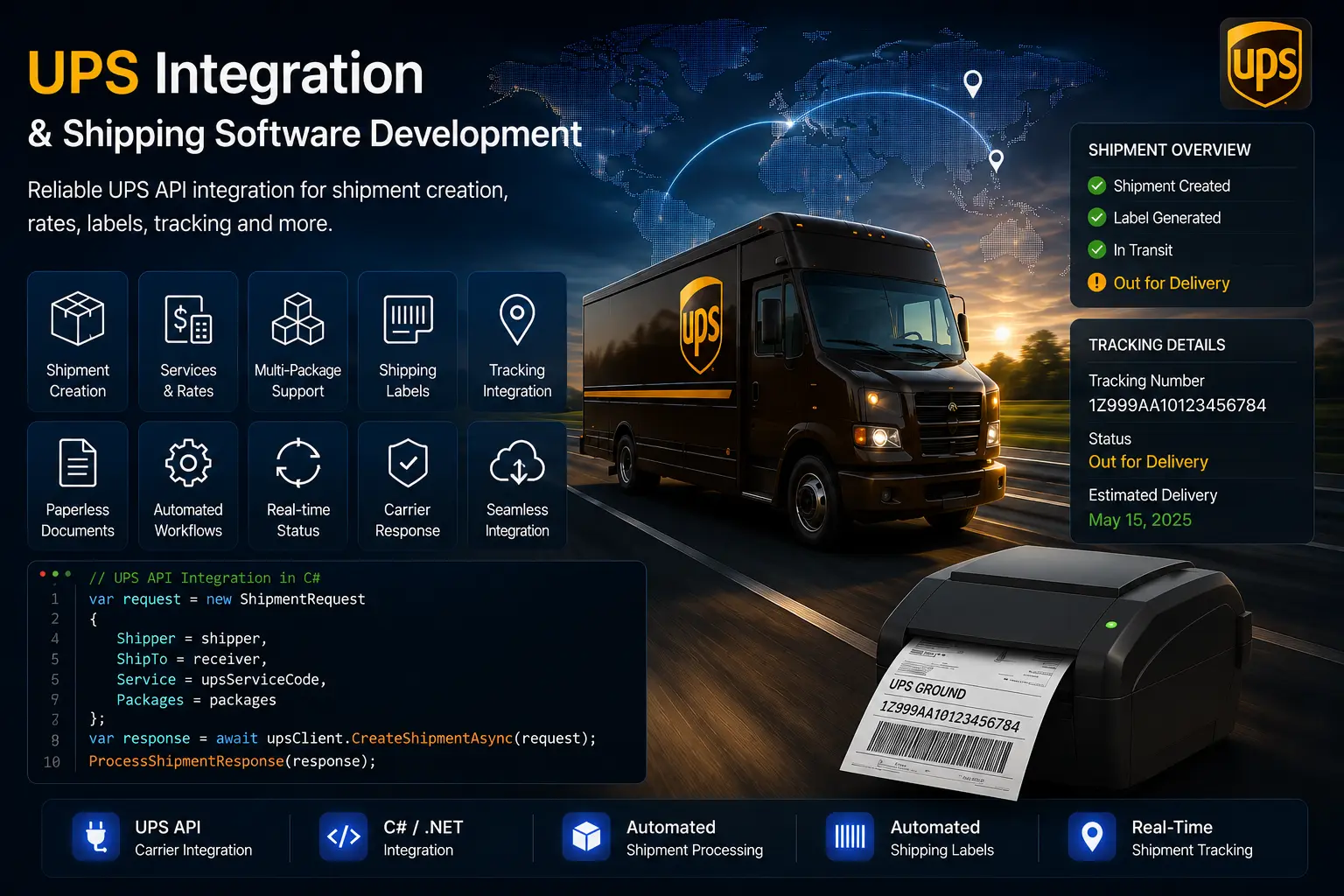
Custom UPS API integration using C# and .NET for shipment creation, UPS service and rate handling, shipping labels, tracking and integration with existing business systems. UPS shipment requests include sender and receiver information together with the UPS service code required for the selected shipping service. The application maps business-facing UPS service names to the numeric service codes expected by the UPS API. For example, UPS Express Saver (65), Express Saver (65), UPS Next Day Air Early (14), UPS Next Day Air (01), UPS Next Day Air Saver (13), UPS 2nd Day Air A.M. (59), UPS 2nd Day Air (02), UPS 3 Day Select (12) and UPS Ground (03). International UPS services are also mapped to their corresponding service codes, including UPS Worldwide Express (07), UPS Worldwide Express Plus (54), UPS Worldwide Expedited (08) and UPS Worldwide Saver (65). Standard UPS services are similarly mapped to their required service codes. The integration also supports UPS customs and export documentation. Required documents can be uploaded through the UPS API, which returns a document ID. That document ID can then be supplied with the shipment information so that the customs or export document is associated with the corresponding UPS shipment. The integration can be connected with existing ERP, order management and logistics applications to automate UPS shipping workflows.
{
  "ShipmentRequest": {
    "Request": {
      "RequestOption": "nonvalidate",
      "TransactionReference": {
        "CustomerContext": "EXAMPLE_CONTEXT",
        "TransactionIdentifier": "EXAMPLE_TRANSACTION_ID"
      }
    },
    "Shipment": {
      "Description": "Commercial goods",
      "Shipper": {
        "Name": "Example Company",
        "AttentionName": "Example Company",
        "ShipperNumber": "YOUR_UPS_ACCOUNT",
        "TaxIdentificationNumber": "EXAMPLE_TAX_ID",
        "Phone": {
          "Number": "0000000000"
        },
        "Address": {
          "AddressLine": "Example Street 1",
          "City": "Example City",
          "StateProvinceCode": "",
          "PostalCode": "00000",
          "CountryCode": "DE"
        }
      },
      "ShipTo": {
        "Name": "Example Receiver",
        "AttentionName": "Example Receiver",
        "TaxIdentificationNumber": "EXAMPLE_TAX_ID",
        "Phone": {
          "Number": "0000000000"
        },
        "Address": {
          "AddressLine": "Example Receiver Address",
          "City": "Example City",
          "StateProvinceCode": null,
          "PostalCode": "00000",
          "CountryCode": "ES"
        }
      },
      "ShipFrom": {
        "Name": "Example Company",
        "AttentionName": "Example Company",
        "Phone": {
          "Number": "0000000000"
        },
        "FaxNumber": null,
        "TaxIdentificationNumber": null,
        "Address": {
          "AddressLine": "Example Street 1",
          "City": "Example City",
          "StateProvinceCode": null,
          "PostalCode": "00000",
          "CountryCode": "DE"
        }
      },
      "PaymentInformation": {
        "ShipmentCharge": {
          "Type": "01",
          "BillShipper": {
            "AccountNumber": "YOUR_UPS_ACCOUNT"
          }
        }
      },
      "Service": {
        "Code": "11",
        "Description": "UPS Standard"
      },
      "Package": [
        {
          "Description": "International Goods",
          "Packaging": {
            "Code": "02"
          },
          "Dimensions": {
            "Height": "EXAMPLE_HEIGHT",
            "Width": "EXAMPLE_WIDTH",
            "Length": "EXAMPLE_LENGTH",
            "UnitOfMeasurement": {
              "Code": "CM"
            }
          },
          "PackageWeight": {
            "UnitOfMeasurement": {
              "Code": "KGS"
            },
            "Weight": "EXAMPLE_WEIGHT"
          },
          "PackageServiceOptions": ""
        }
      ],
      "ShipmentServiceOptions": {
        "InternationalForms": null,
        "LabelMethod": null,
        "ImportControlIndicator": null
      }
    },
    "LabelSpecification": {
      "LabelImageFormat": {
        "Code": "GIF"
      }
    }
  }
}{
"response": {
"errors": [
{
"code": "EXAMPLE_ERROR_CODE",
"message": "Example UPS API error message."
}
]
}
}Horizon Softwares develops custom UPS shipping integrations for .NET applications that need reliable shipment processing, UPS service selection, rates, labels and tracking. The integration can be built into existing ERP, order management and business systems or used as part of a larger shipping platform.
The UPS integration is implemented as a carrier-specific workflow within a C# / .NET shipping application. Shipment information is first prepared and normalized, applicable UPS services and rates are determined, and the selected service is then converted into the UPS service code required by the carrier API.
For shipment creation, the application builds a common shipment and package representation before converting the required information into the UPS-specific structure. Customs or export documents can be uploaded through the UPS Paperless API before the shipment is submitted. The resulting tracking numbers, labels and carrier responses are then processed back into the business application.
Implementation flow:
Prepare shipment information → Retrieve UPS services and rates → Map the selected UPS service → Process customs documents → Build packages → Build shipment → Submit to UPS → Process labels and tracking → Handle carrier response.
Custom UPS integration using C# and .NET for shipment quoting, service selection, shipment creation, multi-package processing, Paperless customs documents, labels, tracking and carrier response handling. The integration can be connected to existing ERP, order management and logistics applications.
Shipment creation starts with the information supplied by the existing business application. Sender, receiver, contact and package information are prepared before the carrier-specific request is built. If sender or receiver phone information is missing, the application can use the configured user contact number as a fallback.
The selected delivery service is retrieved from the application's service configuration. The configured UPS shipper number is validated and the application's service identifier is converted into the numeric UPS service code required by the carrier.
Package information is first constructed in a common representation containing dimensions, weight and quantity. Those packages are then converted into the UPS-specific package structure before the shipment is submitted.
Shipment construction:
Prepare order data → retrieve UPS service → validate shipper number → map service code → build common packages → build common shipment → convert packages to UPS format → submit shipment.
Custom UPS integration using C# and .NET for shipment quoting, service selection, shipment creation, multi-package processing, Paperless customs documents, labels, tracking and carrier response handling. The integration can be connected to existing ERP, order management and logistics applications.

The application separates the common shipping workflow from the carrier-specific UPS implementation. Shipment information is prepared in the application and passed to a dedicated shipping client responsible for communicating with UPS.
The carrier-specific service receives the prepared shipment information together with the configured UPS shipper number and submits the shipment through the UPS integration. The returned carrier result is then converted into the application's standard shipment result so the rest of the application does not need to depend directly on UPS-specific response structures.
Carrier communication flow:
Application shipment model → UPS-specific shipment structure → UPS shipping client → UPS API → carrier response → application shipment result.
This approach keeps UPS-specific processing inside the carrier integration layer while allowing the surrounding shipping application to work with a consistent shipment result.
Custom UPS integration using C# and .NET for shipment quoting, service selection, shipment creation, multi-package processing, Paperless customs documents, labels, tracking and carrier response handling. The integration can be connected to existing ERP, order management and logistics applications.
The quoting workflow begins by normalizing the incoming shipment request. The application then determines applicable UPS delivery services using sender and receiver information, postal codes, cities, package dimensions, weight and quantity.
The service discovery process handles both standard and non-standard UPS services. The resulting service information is collected into the application's quote list before the available services are processed through the UPS rate API.
The application also maintains a carrier-specific service-code mapping layer. Business-facing service names are translated into the numeric codes required by UPS. For example, UPS Express Saver and Express Saver use service code (65), UPS Next Day Air Early uses (14), UPS Next Day Air uses (01), UPS Next Day Air Saver uses (13), UPS 2nd Day Air A.M. uses (59), UPS 2nd Day Air uses (02), UPS 3 Day Select uses (12) and UPS Ground uses (03).
International services are mapped in the same way, including UPS Worldwide Express (07), UPS Worldwide Express Plus (54), UPS Worldwide Expedited (08) and UPS Worldwide Saver (65).
Quote workflow:
Normalize request → determine applicable services → retrieve standard and non-standard services → process UPS rates → return available services and rates.
Custom UPS integration using C# and .NET for shipment quoting, service selection, shipment creation, multi-package processing, Paperless customs documents, labels, tracking and carrier response handling. The integration can be connected to existing ERP, order management and logistics applications.
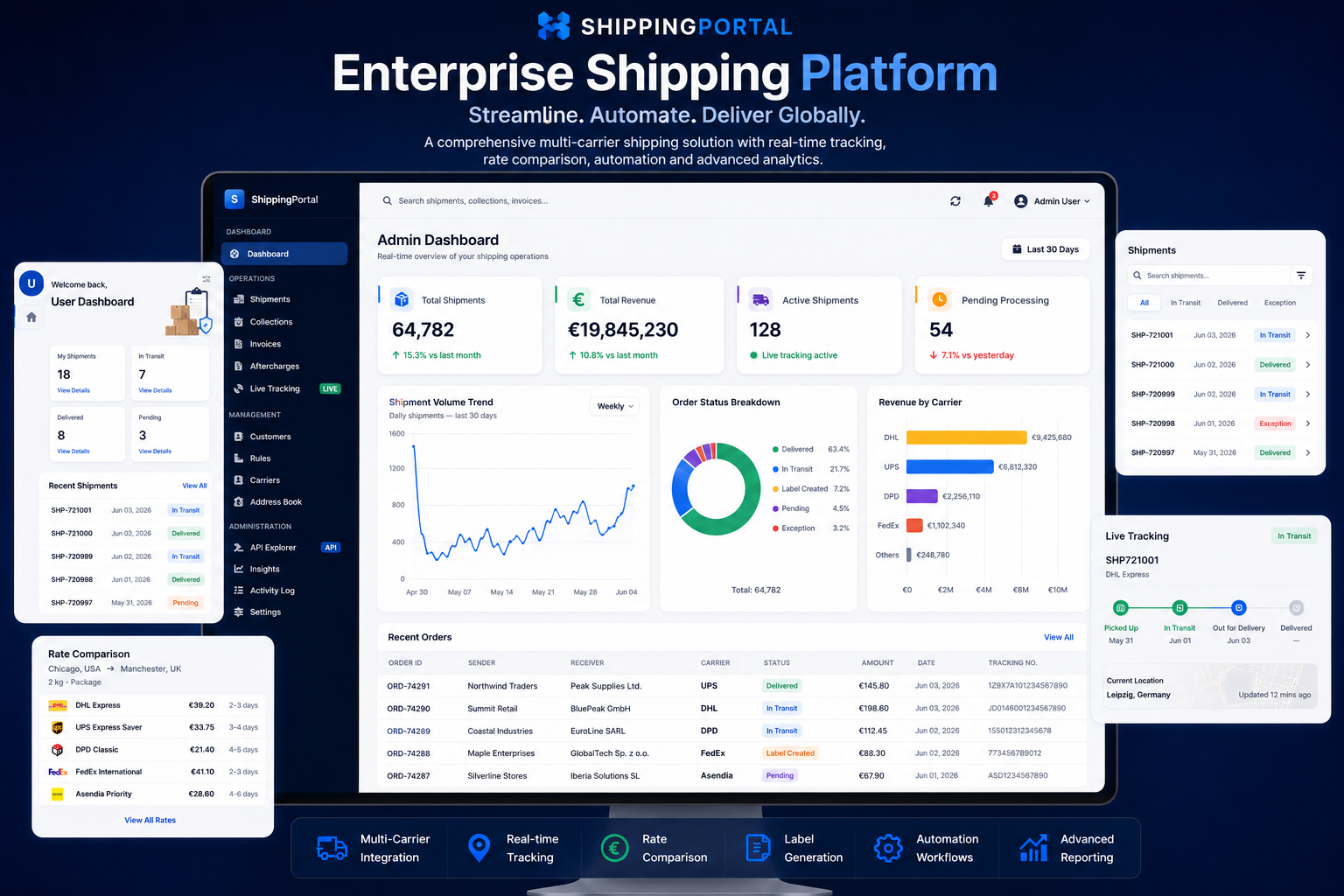
UPS shipment creation can return label information together with the shipment result. The application processes the returned label information and associates it with the corresponding shipment.
The integration also supports UPS Paperless customs and export documentation. When an export document is supplied, the application uploads the document through the UPS Paperless API before creating the shipment. UPS returns a Document ID, which can then be associated with the shipment information.
Paperless document workflow:
Export document supplied → upload document to UPS → receive Document ID → associate Document ID with shipment → continue shipment creation.
This allows customs documentation to remain part of the automated shipping workflow rather than requiring a separate manual document-processing step.
Custom UPS integration using C# and .NET for shipment quoting, service selection, shipment creation, multi-package processing, Paperless customs documents, labels, tracking and carrier response handling. The integration can be connected to existing ERP, order management and logistics applications.
After successful shipment creation, the UPS response is processed to obtain the tracking numbers and label information. The tracking numbers are associated with the corresponding shipment so that the business application can continue to manage the shipment after the UPS request has completed.
The integration also handles unsuccessful UPS responses. When shipment creation fails, the returned carrier error is used to update the shipment status and is returned to the calling application together with the available carrier response information.
For successful shipments, the application creates the required label and tracking records and preserves the carrier result, including tracking numbers, label information and relevant shipment configuration.
Response workflow:
UPS response → determine success → process tracking numbers and labels → persist shipment information. If unsuccessful → capture UPS error → update shipment status → return carrier error to the application.
Custom UPS integration using C# and .NET for shipment quoting, service selection, shipment creation, multi-package processing, Paperless customs documents, labels, tracking and carrier response handling. The integration can be connected to existing ERP, order management and logistics applications.
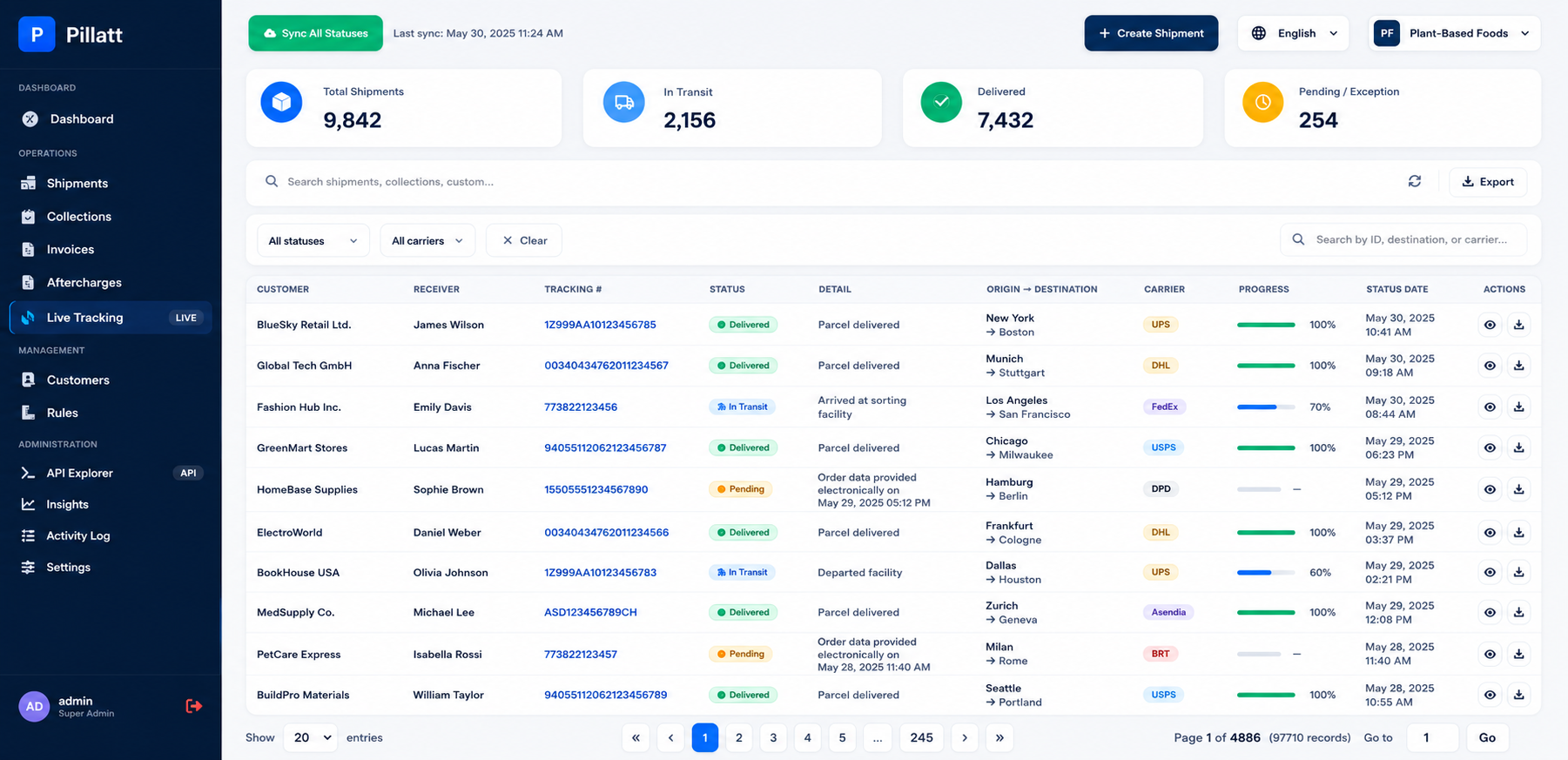

Banking, Logistics, Retail, Insurance and Manufacturing.
ASP.NET Core, .NET 8, WPF, SQL Server and REST APIs.
Looking to integrate UPS shipping capabilities into an existing application or build a custom UPS-enabled shipping platform?