DHL API
Carrier Integration
Custom DHL API integration using C# and .NET for shipment creation, service selection, shipping rates, labels, tracking and integration with existing ERP, order management and business systems.

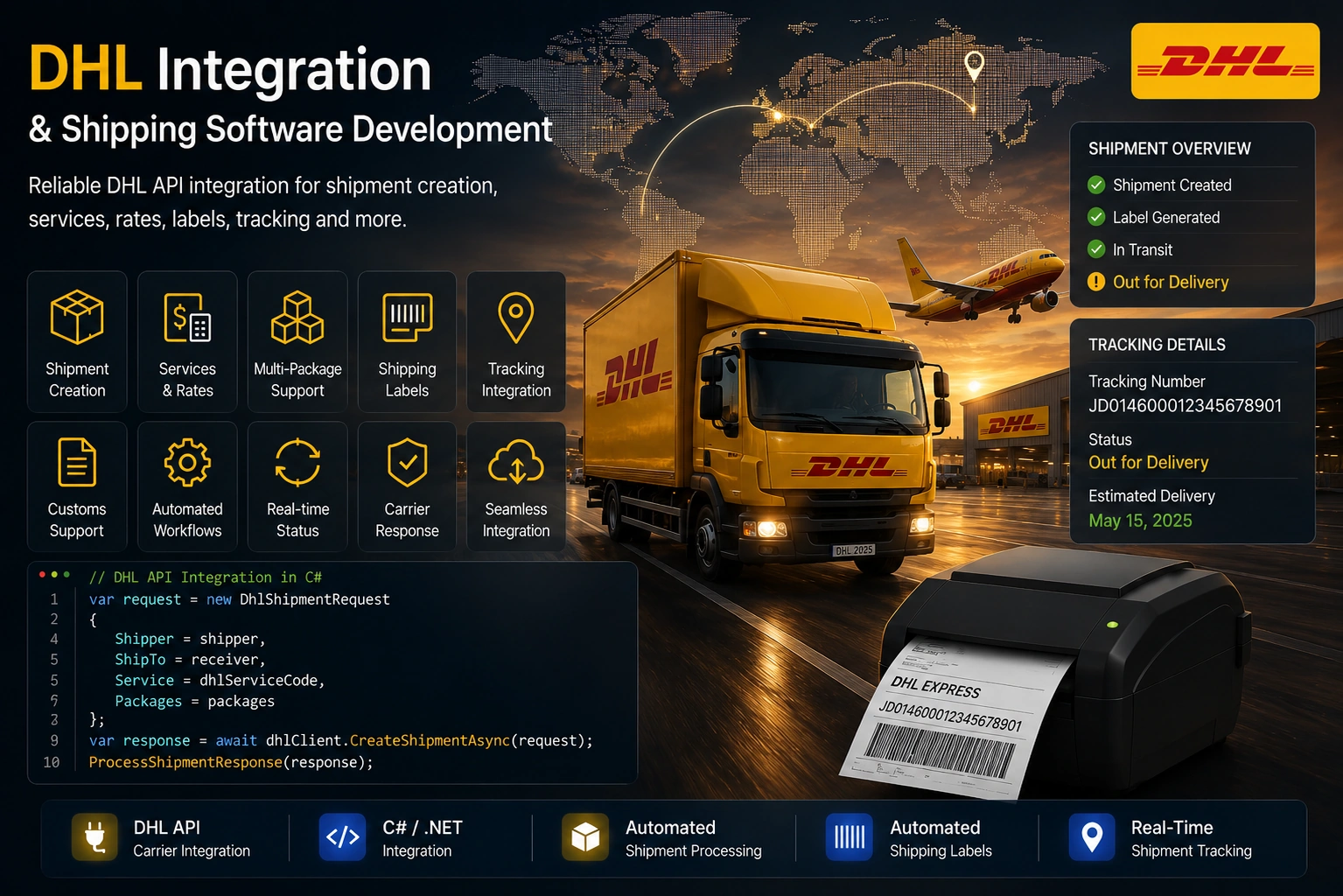
Custom DHL API integration using C# and .NET for enterprise shipping software, including shipment creation, DHL service selection, shipping rates, labels, tracking and integration with existing ERP, order management and logistics systems. The integration connects DHL shipping capabilities with an existing business application, allowing shipment information to be prepared within the application and processed through the DHL carrier API. The application can prepare sender, receiver and package information, determine the appropriate DHL shipping service, construct the carrier-specific shipment request and process the response returned by DHL. DHL integration can also be incorporated into a broader multi-carrier shipping platform where the common shipping workflow remains separate from the carrier-specific DHL implementation.
{
  "DHLShipmentRequest": {
    "ServiceCode": "V53WPAK",
    "BillingNumber": "************",
    "RefNo": "DEMO-SHIPMENT",
    "SenderName": "Example Sender",
    "SenderStreet": "Example Street",
    "SenderStreetNo": "10",
    "SenderZip": "12345",
    "SenderCity": "Example City",
    "SenderCountry": "DE",
    "SenderEmail": "",
    "SenderPhoneNo": "+49XXXXXXXXXX",
    "ReceiverName": "Example Receiver",
    "ReceiverStreet": "Example Avenue",
    "ReceiverStreetNo": "20",
    "ReceiverZip": "2800",
    "ReceiverCity": "Example City",
    "ReceiverCountry": "CH",
    "ReceiverPhoneNo": "+41XXXXXXXXX",
    "Qty": "1",
    "OrderID": "123456",
    "Length": "30",
    "Width": "20",
    "Height": "10",
    "Weight": "1",
    "ProductDescription": "Example commercial product",
    "CountryCodeOrigin": "CN",
    "HSCode": "94069031",
    "ProductName": "Example Product",
    "InvoiceNo": "INV-0001",
    "PurposeOfExport": "PRESENT",
    "Weight1": "0.5",
    "IsNonEU": true,
    "TotalCost": 28.38,
    "InternationalFormsQty": "1",
    "CustomsValue": "203.47",
    "Contract": ""
  }
}{
"status": {
"title": "OK",
"status": 200,
"detail": "1 of 1 shipment successfully printed.",
"statusCode": 200
},
"items": [
{
"shipmentNo": "DEMO123456789DE",
"sstatus": {
"title": "OK",
"status": 200,
"statusCode": 200
},
"shipmentRefNo": "DEMO-SHIPMENT",
"routingCode": "4037562800+66000000",
"label": {
"b64": "[BASE64 PDF DATA]",
"fileFormat": "PDF",
"printFormat": "910-300-700-oZ/oz"
},
"customsDoc": {
"b64": "[BASE64 PDF DATA]",
"fileFormat": "PDF",
"printFormat": "A4-PT"
},
"validationMessages": [],
"uuid": "00000000-0000-0000-0000-000000000000"
}
]
}Horizon Softwares develops custom DHL shipping integrations for .NET applications that need shipment processing, DHL service selection, rates, labels and tracking. The integration can connect DHL with existing ERP, order management and business systems or operate as part of a larger multi-carrier shipping platform.
The DHL integration is implemented as a carrier-specific workflow within a C# / .NET shipping application. Shipment information is prepared within the application before the required DHL service and shipment information is constructed.
The application separates the common shipping workflow from the carrier-specific DHL implementation. This allows DHL communication and response processing to remain within the carrier integration layer while the surrounding business application continues to use its common shipping workflow.
Enterprise shipping workflow:
Prepare shipment information → determine DHL service → build packages → build DHL shipment → submit to DHL → process labels and tracking → handle carrier response.
Custom DHL integration using C# and .NET for shipment service integration, shipment creation, package processing, shipping labels, tracking and carrier response handling. The integration can connect DHL shipping capabilities with existing ERP, order management and logistics applications.
The DHL integration supports two carrier communication paths within the C# / .NET shipping application. The standard DHL integration communicates through the DHL REST API, while shipments using the separate Other Contract integration are processed through a SOAP-based DHL service.
Both integration paths use the application's common shipment information and then construct the carrier-specific request required by the selected DHL service. This keeps the surrounding ERP or business application independent of the underlying DHL communication protocol.
REST integration: Prepare shipment data → construct DHL request → authenticate → submit through DHL REST API → process carrier response.
SOAP integration: Prepare shipment data → construct DHL contract request → build SOAP envelope → apply SOAP authentication → submit request → process XML response.
The resulting carrier information can then be converted into the application's standard shipment result so that tracking, labels, status handling and business workflows remain consistent across both integration paths.
Custom DHL integration using C# and .NET for shipment service integration, shipment creation, package processing, shipping labels, tracking and carrier response handling. The integration can connect DHL shipping capabilities with existing ERP, order management and logistics applications.
Shipment creation starts with information supplied by the existing business application. Sender, receiver and package information are prepared before the DHL-specific shipment request is constructed.
Package information can be prepared using the application's common shipment representation before being converted into the carrier-specific structure required by DHL.
This approach allows an ERP or other business application to maintain a common shipping workflow while the DHL integration layer handles carrier-specific request construction.
Shipment construction:
Prepare order data → prepare sender and receiver information → build packages → construct DHL shipment → submit shipment.
Custom DHL integration using C# and .NET for shipment service integration, shipment creation, package processing, shipping labels, tracking and carrier response handling. The integration can connect DHL shipping capabilities with existing ERP, order management and logistics applications.

The DHL quoting and service-selection workflow can use the shipment information supplied by the business application to determine applicable DHL services.
Shipment details such as sender and receiver information, package dimensions, weight and quantity can be used as inputs to the service and rate-processing workflow.
The resulting DHL service and rate information can then be returned to the calling application so that the appropriate shipping option can be selected before shipment creation.
Quote workflow:
Prepare shipment information → determine applicable DHL services → process DHL rates → return available services and rates.
Custom DHL integration using C# and .NET for shipment service integration, shipment creation, package processing, shipping labels, tracking and carrier response handling. The integration can connect DHL shipping capabilities with existing ERP, order management and logistics applications.
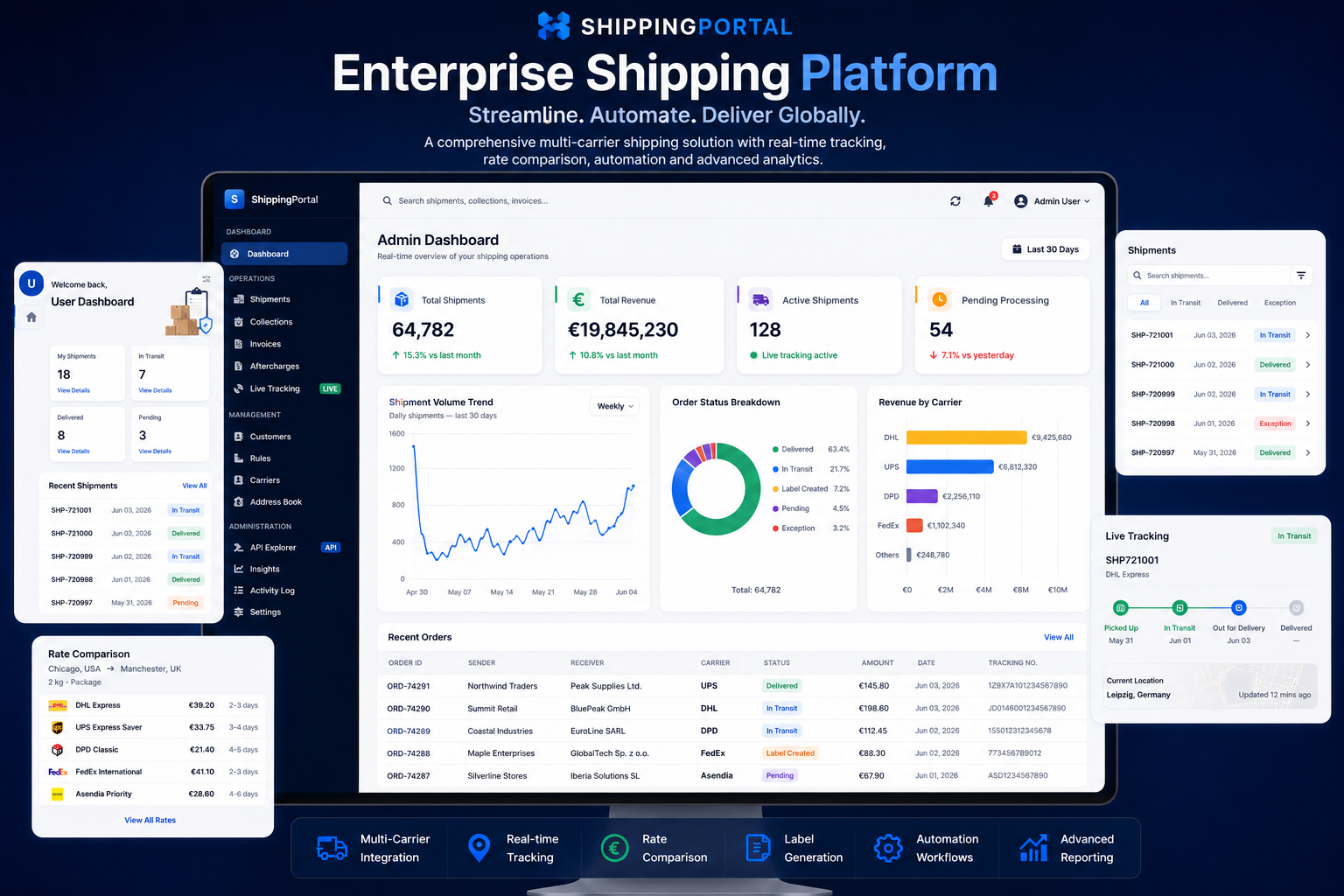
DHL shipment creation can return shipping label information as part of the carrier response. The integration processes the returned label information and associates it with the corresponding shipment.
Keeping label processing inside the carrier integration allows the surrounding ERP or business application to continue working with a consistent shipment workflow without having to understand DHL-specific response structures.
Label workflow:
Create shipment → receive DHL response → process label information → associate label with shipment.
Custom DHL integration using C# and .NET for shipment service integration, shipment creation, package processing, shipping labels, tracking and carrier response handling. The integration can connect DHL shipping capabilities with existing ERP, order management and logistics applications.
After successful shipment creation, the DHL response can be processed to obtain tracking information and other shipment results returned by the carrier.
The tracking information is associated with the corresponding shipment so that the existing business application can continue managing the shipment after the carrier request has completed.
Unsuccessful DHL responses can also be processed by capturing the carrier error, updating the shipment processing status and returning the carrier result to the calling application.
Response workflow:
DHL response → determine success → process tracking and labels → persist shipment information. If unsuccessful → capture carrier error → update shipment status → return carrier result.
Custom DHL integration using C# and .NET for shipment service integration, shipment creation, package processing, shipping labels, tracking and carrier response handling. The integration can connect DHL shipping capabilities with existing ERP, order management and logistics applications.
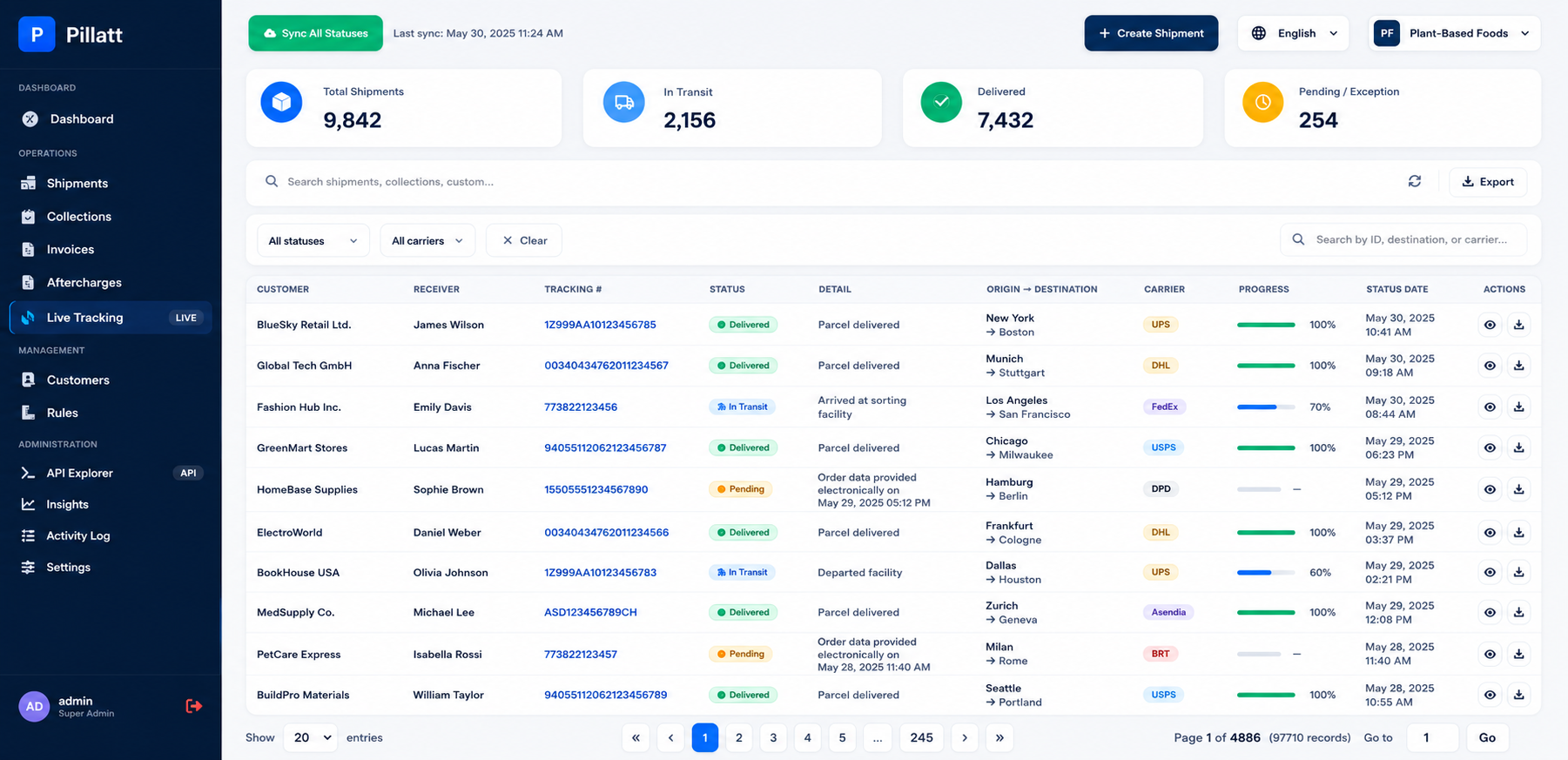
The DHL integration can connect carrier shipping capabilities with existing ERP, order management and logistics applications. The business application prepares shipment information while the DHL integration layer handles the carrier-specific communication and response processing.
Using a common shipment workflow helps keep business-system processing separate from DHL-specific API communication. This makes the DHL integration suitable for enterprise shipping software where the same application may manage orders, shipments, labels and tracking while communicating with the carrier through its dedicated integration layer.
Business-system workflow:
ERP / order data → common shipment information → DHL-specific request → DHL response → shipment, label and tracking information returned to the business application.
Custom DHL integration using C# and .NET for shipment service integration, shipment creation, package processing, shipping labels, tracking and carrier response handling. The integration can connect DHL shipping capabilities with existing ERP, order management and logistics applications.

Banking, Logistics, Retail, Insurance and Manufacturing.
ASP.NET Core, .NET 8, WPF, SQL Server and REST APIs.
Looking to integrate DHL shipping capabilities into an existing ERP or business application, or build a custom DHL-enabled shipping platform?